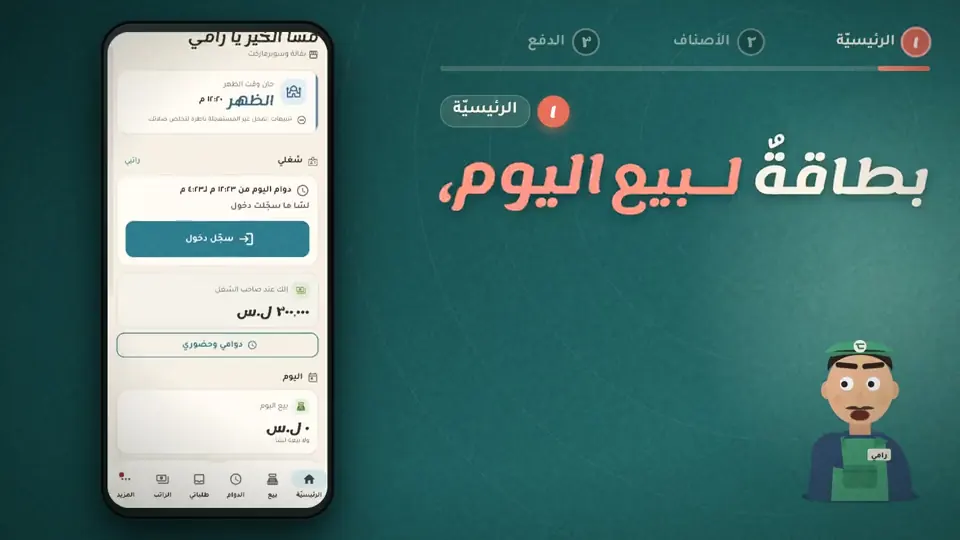
Check in and out, weekly hours, lateness, overtime and salary.
14 days free · Every feature open · works offlineNot a generic accounting program. Every screen is made for what happens in this business every day.
First, join your workplace: ask the owner for an invitation from «Staff» in their app, then tap «I have an invite code» and type the code. After that your shifts, requests and salary show up here.
This is «My requests»: tap «Request leave» or «Request an advance» and it goes to the owner, then follow their reply here.
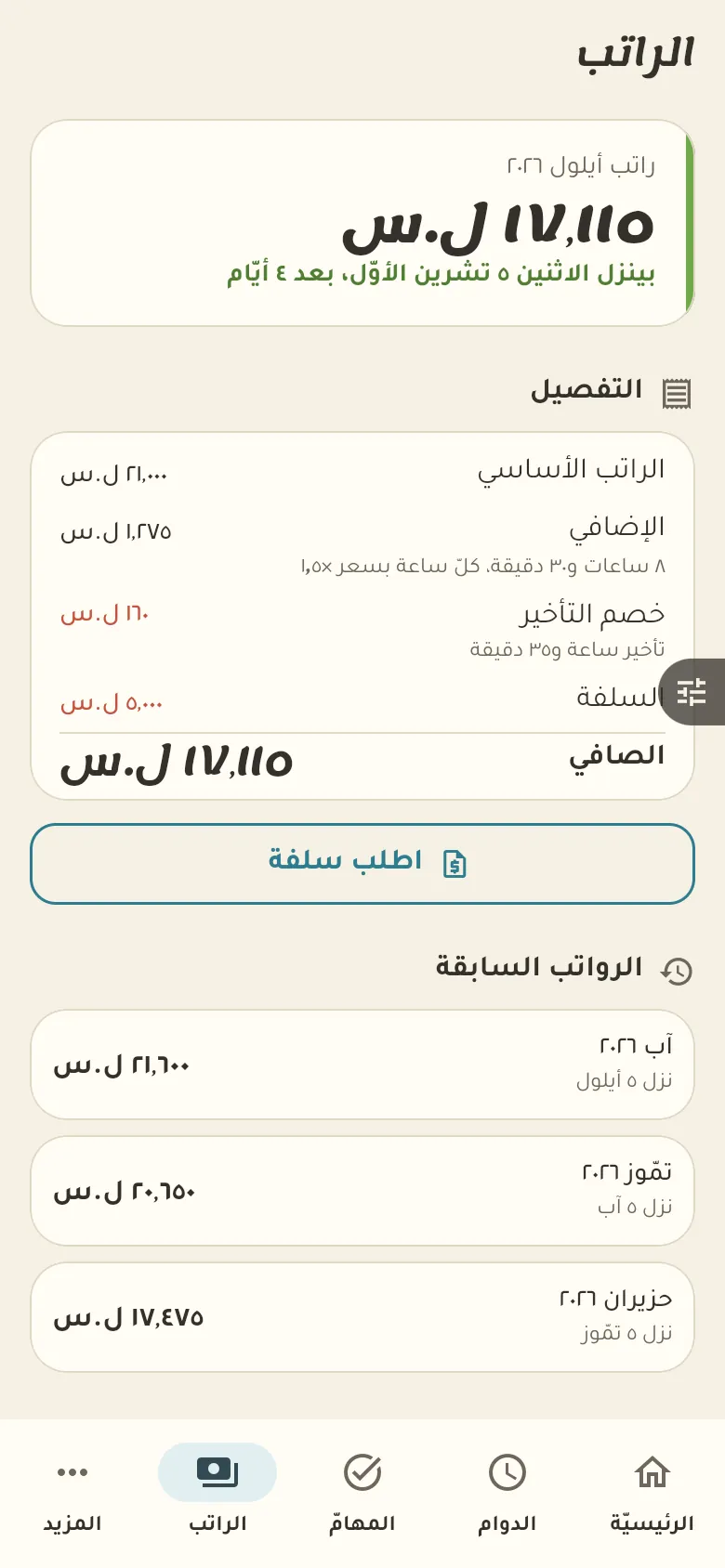
Here is your salary this month: base pay, overtime, deductions and advances. Your pay is private to you and your colleagues can't see it, and you can see it broken down day by day.
9 chapters; jump to any of them.
Every feature open. Then pick the plan that suits you, or carry on with the free one.
Get the app and startFrom the attendance screen tap «Request leave», and from the salary screen «Request advance», then write the details. The request goes to your employer, who replies, and you get the result.
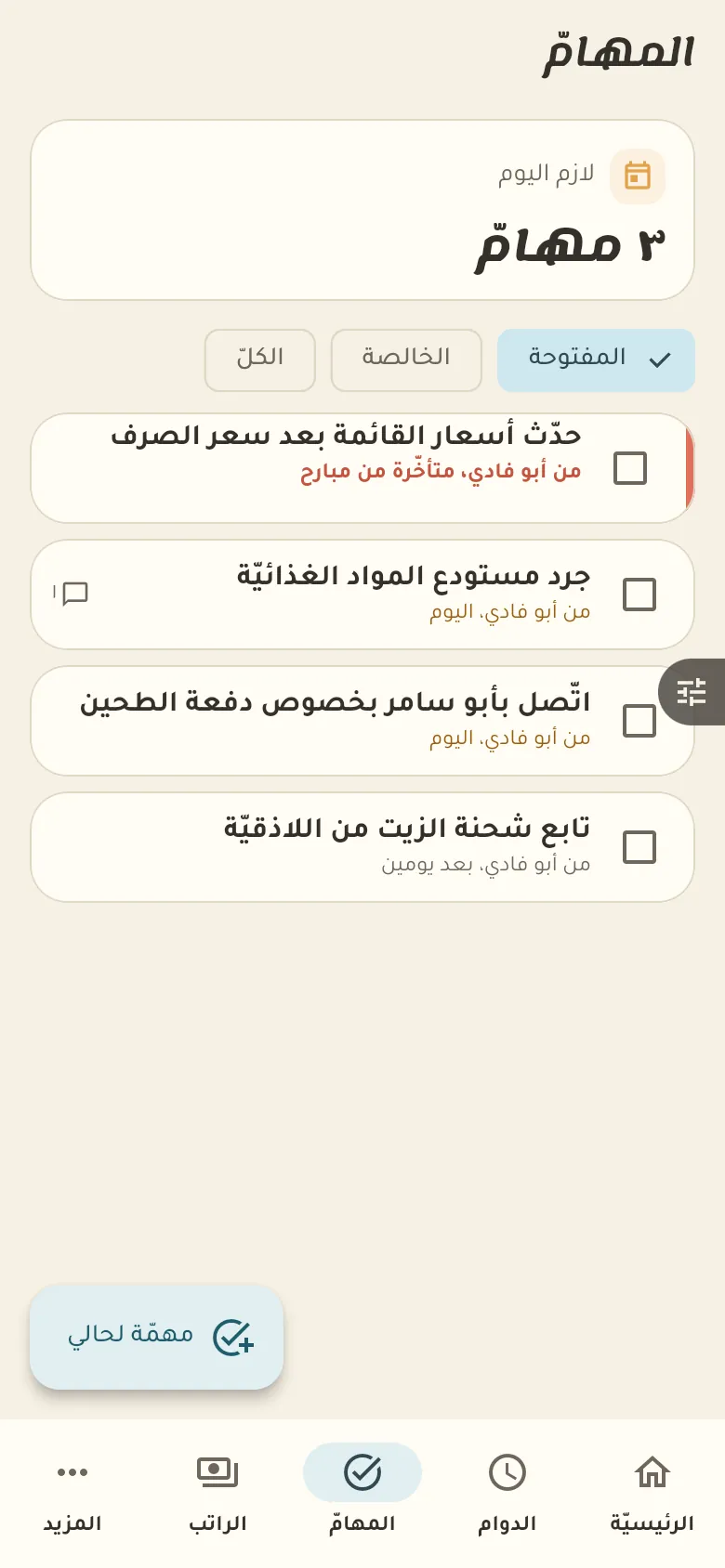
Ask your employer for the invitation link or code and open it in the app. Once you accept, your shifts, tasks and pay show up according to what they grant you.
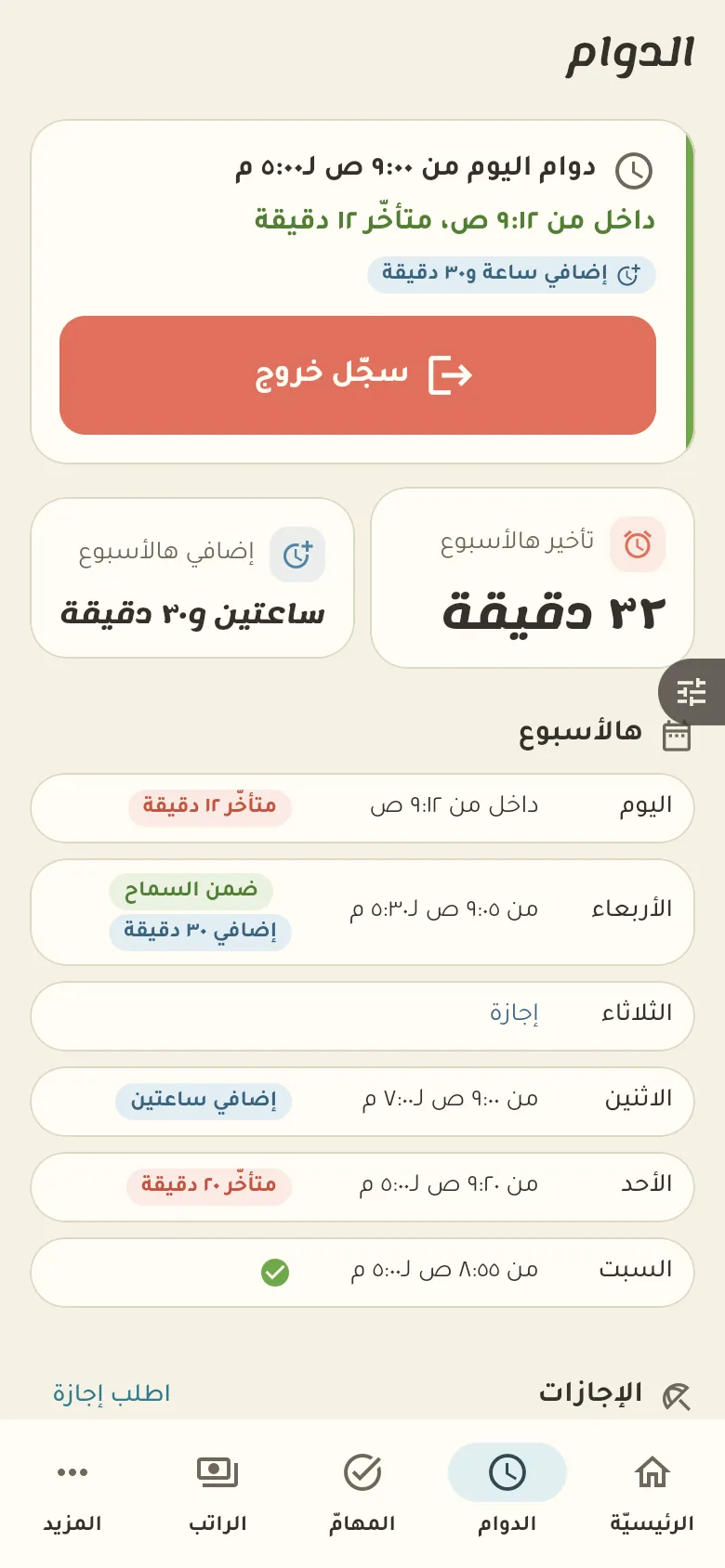
Rafeeq compares your arrival and departure times to your set schedule, with a grace period in minutes that your employer sets. Anything over the schedule counts as overtime at the rate they chose.
Yes. Sell and record debts with no network; everything syncs by itself when it returns.
Your data is yours: no ads and no data selling. The privacy page explains what we collect and for how long, and you can delete your account at any time.
