Here is your current plan with its devices, staff and AI points. If you have an activation or discount code and the code box is open for your account, you'll find it lower down on this page; you can upgrade whenever you need.
Press any step (or scroll) and the phone shows its screen.
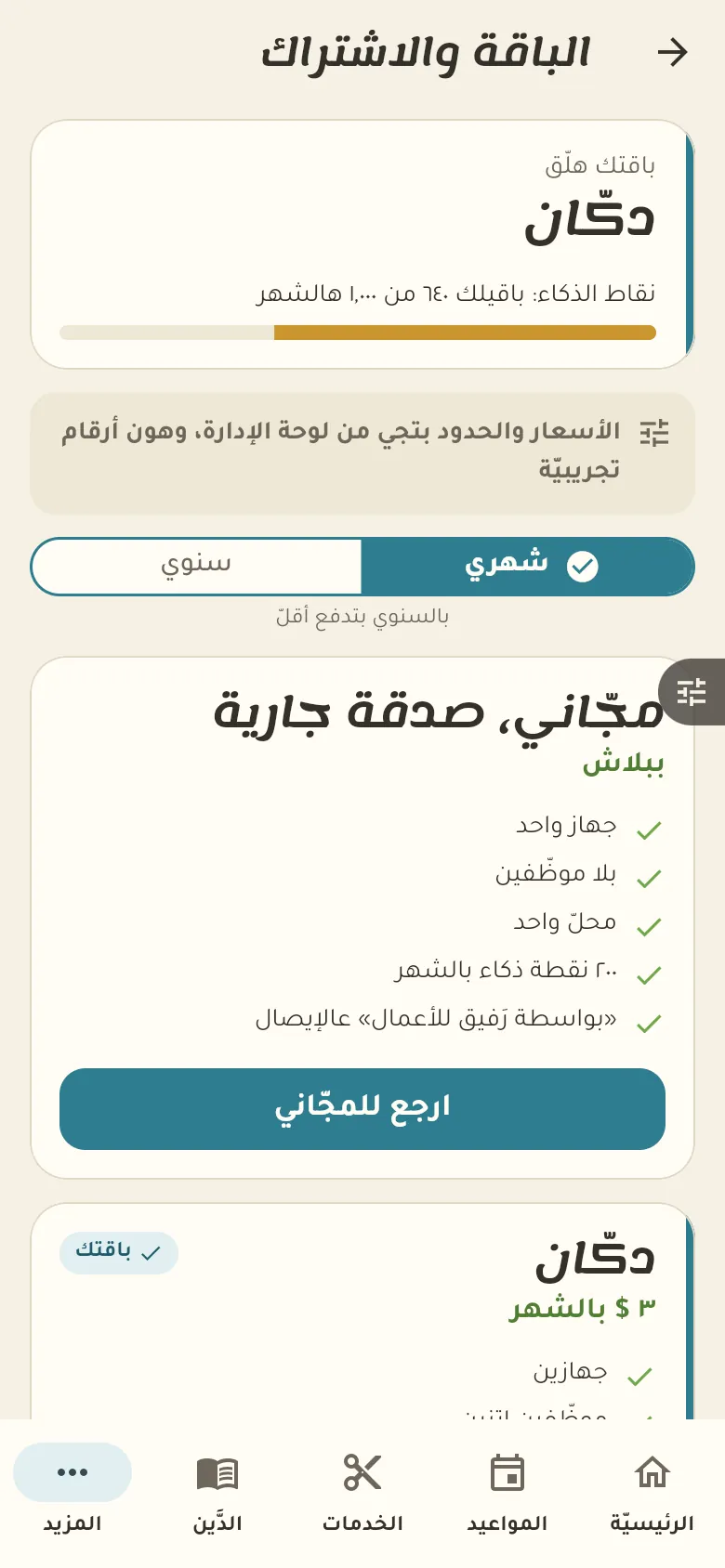
Plans differ in the number of devices, staff, branches and monthly AI points. You'll find each plan's details and price in «More → Plan».
In «More → Plan» tap «I have a code» and type it. It activates or applies the discount right away, and you'll see the new plan and how long it lasts.
Every use of the AI, like selling by voice or asking Rafeeq, uses points from your plan's monthly balance. The balance renews every month and you see what's left in «More → Plan».
In «My papers» you see the space used; tap «More space» to pick an extra size. The price is shown before you confirm and comes from the panel, not from this text.
