Open the drawer in the morning with the change in it, and close it at night by counting what's inside. Rafeeq compares your count to what it should be and shows the difference.
Press any step (or scroll) and the phone shows its screen.
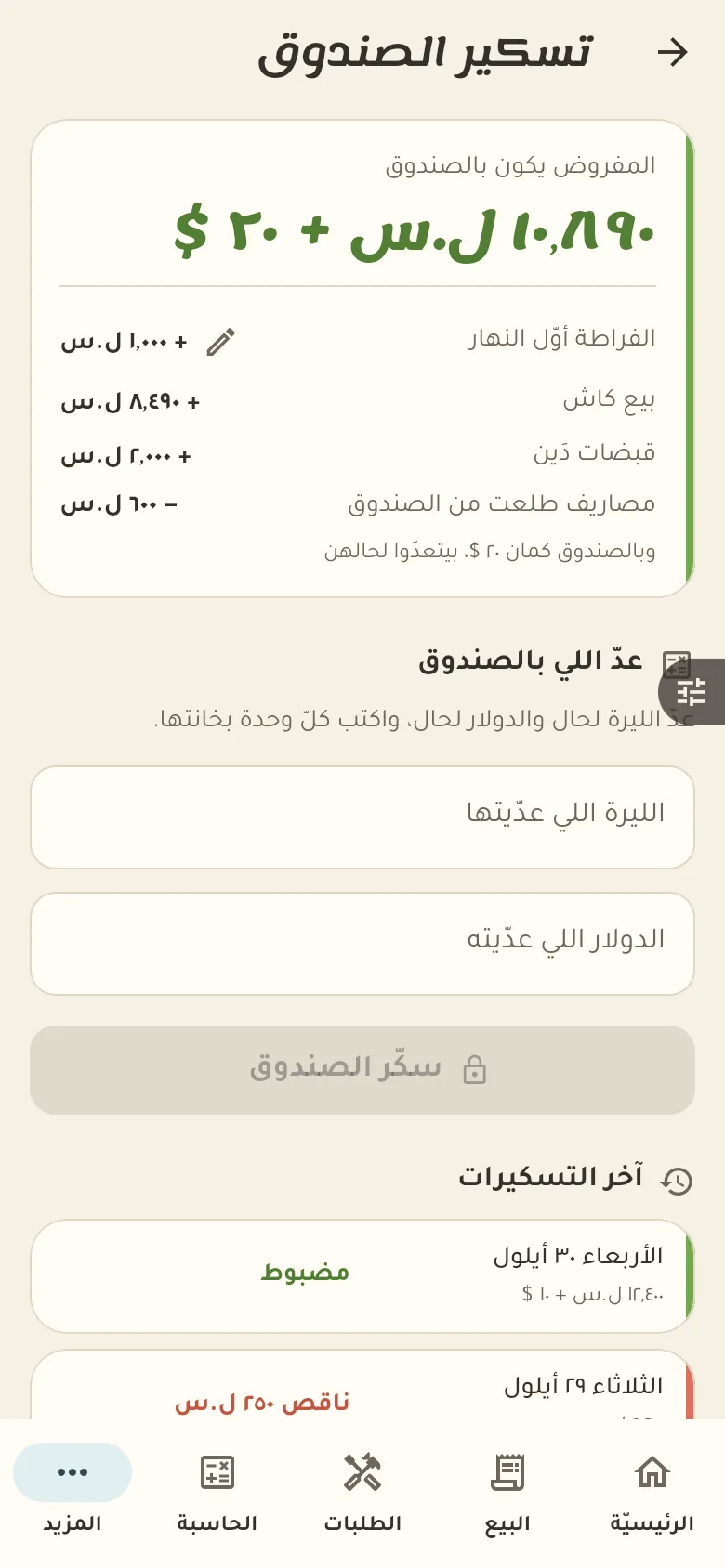
From «More → Drawer» tap «Close», count what's in the drawer and enter the amount. Rafeeq shows you the difference and then closes your day.
It's the gap between what you counted in the drawer and what it should hold given sales and expenses. A small shortage or surplus is normal because of change; if it repeats, review the day's sales.
From «More → Expenses» tap «New expense», pick its type and enter the amount. For fixed costs like rent make it recurring so it's recorded by itself every month.
From «More → Profit» you see profit after deducting the cost of goods, expenses and spoilage. This section only shows for people with the permission to see profit.
